What non-coders need to know about code before they vib-code themselves into a black hole
A $20 Claude subscription gives you a tireless expert work crew. It does not give you the instinct to notice that storm water runs straight into your front door. Here's what an experienced developer would warn you about before you build your first app.
Yes, kind of, but also, resoundingly, no.
If you weren't a software developer last week, a $20-$200 subscription to Claude Code didn't magically turn you into one. But it does make you the Project Manager of a team of software developers. That's the correct frame to think in.
Just as importantly, Claude Code also replaced the venture capitalist. You don't need a seed round to build a prototype; you need a clear head and a chat window. There's a group of billionaire tech leaders who have a bet on when we'll see the first solo entrepreneur reach a billion-dollar valuation. It's an inevitability that someone is going to accomplish that feat. I don't know who that person will be, but I'll bet good money they'll struggle through the issues listed below and then overcome them.
That amazing idea you've been telling your friends about for the past few years, that's a can't miss hit, if only you had a million dollars lying around to pay a few developers to build it, is now just a prompt or two away. And by a prompt or two I really mean about 10,000 prompts away. But I'll help you get there.
Software Development is not what you think it is
Building any software more complicated than a personal To-Do List is way more involved than you might imagine. By analogy, assume you wanted to design and build your own house, and you were given an entire work crew, each an expert at what they do, who would work tirelessly for $200/month. That's what you have with Claude Code. The caveat is that your work crew will only do what you tell them to do. Would you want to move into this house?
You may design and build the perfect house; it's structurally sound; it has everything you would expect. You move in. You're wonderfully happy with it, and then there's a thunderstorm. Not a 1,000-year flood. Just the average thunderstorm that you expect to see a few times a year. And it's now that you realize you didn't think much about the landscaping because water from the street is funneled right down your driveway and into your front door.
This is the sort of thing any experienced contractor would have thought about. But that's not you. You've seen houses before. You know what you want yours to look like. It seems so simple until it's not.
Software development is no different.
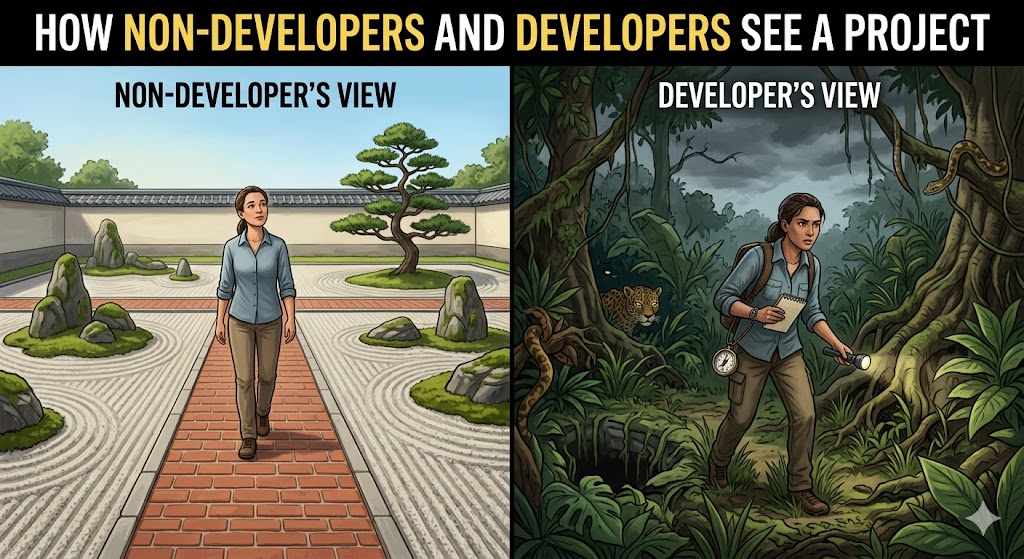
The good news is I'm an experienced software developer, and I'm going to tell you about all of the dangerous animals that are hiding in the weeds just waiting to pounce if you don't build your app the right way.
The most important takeaway.
You're 300+ words into this article. Glance over at the scrollbar thumb and notice how small it is. You've got a long way to go. Now you're running a quick internal query to ask, "Do I have time for this?" If you're on the fence and ready to close this tab, I want to leave you with one simple bit of knowledge that will make all the difference as you dive into VibeCoding.
You are not building an app.
The AI is building the app because you don't know how.
You are building the spec.
You know what you want to build. (Actually, you know about 5% of what you want to build, but you'll figure that out later.) Your contribution is to work with the AI to create a spec, or more likely a long list of specs, that the AI can then follow to implement the app you want. These specs are your bible. You will draft, revise, edit and probably start from scratch more than a few times. Your goal is to produce the perfect spec that covers every aspect the AI needs to create the app of your dreams. You can write this spec. You've probably been writing this spec in your imagination ever since you had your idea.
You need to nourish your spec. When the AI builds something, and there's a bug, you work with the AI to fix the bug, and then, crucially, you discuss with the AI what part of the spec was insufficient that led to the bug and update it so that on the next iteration, that bug doesn't reappear.
Iterate to perfection
You won't build your app once. You will build it over and over again. This is called Spec Driven Development. (SDD) This process has been around for ages, but the age of VibeCoding has supercharged it. The goal isn't to build the perfect app. Your goal is to build the perfect spec that leads to your perfect app.
That's the big picture. Now let's talk about the eleven (and counting) key aspects of software development that you need to consider as you build your app. My advice: don't try to do these all at once. This is what SDD is for. You pick a few of these key aspects, you discuss them with the Claude Code and come up with a plan that gets written to your spec. When you're ready, you tell Claude Code to implement. You kick the tires on that iteration, make a few changes--always remembering to update the spec--and then eventually you start a new conversation with the AI about the next few key aspects that need to be considered. After three to six iterations, you may have an app that can survive useranic-acid.
Useranic-acid: the substance that users pour onto your app that eats away every perfect feature, leaving only poor UX and bugs behind.
1. Where Will Your App Run?
Here are the primary surfaces where an app can live:
- Web (desktop/mobile)
- Desktop (Windows/Mac/Linux)
- Mobile app (iOS/Android)
- Other: TV, refrigerator, auto
Each surface has its own pros and cons. Maybe you know for sure that your app must live on a specific surface. That's great. It's an important thing to know. But, the good news is that in this process of iteration, you don't have to stay on one surface. Back in the old days--2 years ago--it was a major sacrifice to consider migrating an app from one surface to another. Now, it only takes a few edits to your spec, and you go from web to mobile app. (Truthfully, it's a bigger deal than that, but manageable.)
I'm going to recommend, if possible, that you start with a web app. That's because you can build and test much faster in a web environment. Claude Code has deep access to Chrome via the Claude Code for Chrome Extension. This lets Claude Code not only build, but actually reach in and drive the app to see if it works. When it doesn't, it can go in a loop until it works. It's a massive boost in productivity. When you have a clear picture of what you're trying to build, then you may be ready to graduate to another surface, like, say, mobile install.
2. Languages & Frameworks
You've heard people talk about programming languages and probably wondered what the fuss is all about. The good news is that you don't need to care about the language that your AI uses to build your app. You'll of course need to have a discussion with your AI about it and ask for the pros/cons of one-vs-another. But you're not writing the code, so you don't need to care.
But you do need to care about the framework. A lot.
What is a framework?
IKEA is to home design as a framework is to software development. You could furnish your home by making your own furniture from scratch or you could pull up to IKEA in a moving van and furnish your home in an afternoon. And to make this analogy tight, the furniture at IKEA is free and every piece comes in nearly infinite variety.
So yeah. Use a framework. Your AI will love you for it. But the question is, which one? Again, you probably don't care that much since you're not writing the code. Every language has at least one, and more likely a dozen, popular frameworks to consider. It's best to discuss this question with your AI and ask its advice on which framework would be the most suitable to implement the features you have in mind. You'll want to make sure your AI chooses one of the most popular frameworks because those are the ones with the most documentation and developer tutorials, which translates into training data for your AI. Don't pick some esoteric framework that a genius developer built but no one has heard of. Pick something that the AI is familiar with.
3. Data Structures
With each of the previous two topics, you discovered that you have a lot of options, but when building with AI it's not a huge deal to migrate your app from one surface to another, or from one language/framework to another.
But changing data structures comes at a cost, even with AI doing the heavy lifting. Changing data structures is sort of like switching from one type of map to another. You know that all maps lie; they just tell different lies. Data structures are similar. Each structure makes some things easy, and others hard, and switching structures can reverse this.
The topic of data structures is far too deep to possibly go into here. This isn't a subject that is covered in one computer science class; it starts freshman year and consumes many chapters of books in every class through senior year.
What you can do is think hard about all of the data that your app will need, where it will come from, how it will be generated, and most importantly all the ways that one data set can relate to another data set. Don't hold back. Then have a brainstorming session with Claude Code specifically about data. Claude will ask questions that will help shape how it structures the data. I would encourage you to think beyond v1 of your app. Try, as best you can, to think about everything going perfectly and where your app may go, and what changes to the data you might have as you grow.
In any non-trivial app, this is going to be the area that requires the most deep thinking. My suggestion is to describe the data as you understand it to the AI and ask for a "Mermaid Diagram". (Don't worry if you don't know what that is. It will become clear.) Then, you can edit the relationships in text and it's easy to ask Gemini to produce a visual diagram. The better you can see the relationships in your data the better decisions you and Claude can make.
4. Databases
Data structures are the shape of your data; databases are where the data actually lives. To some extent, the shape of your data structure will place constraints on where it's practical to store your data.
Beyond the technical considerations of which type of database to use, there's the crucial consideration that for many apps, database storage and hosting is the single largest long-term cost. Some options are cheaper than others, and as long as your traffic is minimal, your database costs will range from free to a rounding error in your monthly bills. But if your app achieves the success that you hope for, it is bound to come with increased queries and storage, which will increase your costs. You can only hope that revenue outpaces these costs.
The good news is that every cloud service offers very reasonable pricing, often free, to get started. And I'm sure you can guess why it's free: they want to get you hooked/addicted to their stack. The more successful your app, the harder it will be to move to a different database provider. It's a good problem to have, but it's still a problem.
5. Dependencies
Dependencies are a little like credit cards: they remove a tremendous amount of friction, and you wonder how you could live without them until someone steals your identity and all your money is gone.
A dependency is a bit of code that performs a very common function that many other apps need. Instead of everyone writing their own solution to a common problem, over and over, one person, or a small group of people, focuses on this task and perfects their solution to the point that no one wants to bother doing it themselves. They'll just use the dependency. Problem solved.
The issue is that the more common the problem, the more popular a dependency will be; and the more popular the dependency is, the more hackers want to use it to their advantage. To make things worse, you don't only have to worry about the dependencies you add, but also the dependencies that those dependencies have.
Suppose you want to do something simple, like add a dependency that allows your app to connect to nearby Bluetooth devices. Easy-peasy. But that dependency has a handful of dependencies that it needs. And a few of those have their own dependencies. And one of those, is a dependency that encrypts OTA messages, and it has a vulnerability that no one knows about... Until they do. And now your app, and every app that uses that dependency, has become a vector for any hacker who is able to find an exploit for that vulnerability.
Another cost to using dependencies is your upgrade path. Something that happens frequently is that your framework has an upgrade, and maybe there are some important new features or bug fixes in this upgrade. But you discover that you can't upgrade because one of the dependencies you added has its own dependency that conflicts with the framework update. Now you have to wait on this person/team to upgrade their dependency before you can upgrade your app.
None of this is to say don't use dependencies. It's a warning to use them responsibly. Don't add more than you need.
6. APIs & Secrets
Your application will talk to other applications via an API (Application Programming Interface). Do you need to add a map to your app, use the Google API. Need to let your users chat with an AI, use the Gemini API, do you need to know the current ForEX rates? There's an API for that... Probably a few hundred in fact.
APIs are great, but the one thing you need to know is that APIs come with API keys that identify your app as the one making the request. This is important to many API providers because they likely have API rate limits for how many requests your app can make during a given time period. And if the API charges money, then they definitely need to know who to send the bill to.
Here's what an API key might look like: 4a2b8c3d1e5f67890ab12c34d56e78f9 (Not a real API key). And that's a short one.
You can probably guess these keys need to be kept secret and they need to be kept safe--usually in a .env file, which is never committed to GitHub. (More on them later.) You don't email them to people. You definitely don't share them publicly.
There are simple ways to keep your keys safe and secure. Just ask Claude Code to help you set up a strategy and then make sure that strategy is added to your context.md file so that Claude Code always uses this strategy and doesn't make up a different strategy for each API key, which would lead to you having API keys in random folders all over the place. Keep it unified and keep on top of CC and make sure that it is always consistent with this.
Also, Claude Code should not directly read your API keys. You place these keys in files that Claude Code knows about, but also knows not to read, because the moment it reads the value, that key gets copied into chat logs, session notes, and other places you'll never fully scrub clean. The whole point of a secret is that it lives in exactly one spot you control. The good news: Claude can wire a key into your app and use it without ever seeing the value—so let it.
7. Tech Debt
One day, you'll think to add a new feature to your app. Nothing major, just a tweak, or so you think. When testing, you discover that the new feature works, but something unrelated broke, you fix that, and other features start failing in odd ways. "Welcome to the world of tech debt."
Human developers suffer from accumulating tech debt just like AIs. And it can impact projects in the same way for both. Tech debt is when you pile changes onto a code base that go in directions that weren't originally planned. Eventually, if you keep adding on code without giving serious consideration to the accumulating tech debt, you end up with a Mad Max-like contraption that's going to explode into a million pieces the first speed bump you hit.
The good news is that you can avoid tech debt because you're not building an app. Remember: you're building a spec. If you keep your spec in good shape and always current with the truth in the code, then at any point you can go through a spec-review with the AI and say, "What would we change in the spec, if we were building this app all over again?" After you are satisfied that the spec is polished and ready, you burn through a week's worth of Claude Max and rebuild the app. Tech debt should revert to near zero.
But, getting back to the previous data structures discussion: rebuilding your app may not be a big deal, but rebuilding your data could suck. As much as possible, you want to rebuild around the existing data.
8. Testing
Testing is tedious, and no one wants to do it. Good news, your AI buddy can do that for you, mostly. You want to start with unit tests. These are usually tests that work on the smallest bit of code that does some action. For example, a test that activates the code that runs when a user clicks on the Add to cart button. This code has a very specific job, and if something happens somewhere in the app that interferes with the process, you want to know about it. (Failed unit tests are the canary in the coal mine for tech debt.)
You may end up with hundreds of unit tests. That's great. You'll never need to mess with them. That's the AI's job to make sure that before you build your app, it passes all unit tests.
Going beyond unit tests is Claude Code for Chrome extension, or as I call it, CCCex. If you're developing a web app, then this tool is manna. It allows Claude to drive your browser and see what it's doing. It is a massive time-saver.
9. Version Control (Git/GitHub)
One bad prompt can wipe out two weeks of work. Version control is the difference between this being a well darn and a WTF moment.
Git is Google Docs for code, plus a whole lot more that you're never going to learn. Fortunately, Claude Code knows exactly what to do with Git. You really only need to create an account and do a little setup. If you have questions, ask. (Not me, ask Claude Code!)
Using git will ensure that if your AI goes off the rails and deletes your project, then it's no big deal. There are other benefits to version control that you'll learn in time. For now, just do it. It's free.
10. Deployment
The biggest dangerous animal for non-devs isn't writing the code—it's Deployment. Many beginners build a cool app that runs on localhost:3000 and then have no idea how to give a URL to their friends. If it only runs on your computer, it's a hobby; if it runs on a server, it's a business. This gets back to the earlier discussion of what surface to build for. By far, the easiest deployment will be for web, which is good news because no matter what surface you target, you're almost 100% going to need a website of some sort.
If you target mobile applications, then I pity you. That's been my lot in life for the past 18 years, and every other update comes with its own headaches just to get the app past the App Store gatekeepers. But even a mobile app will need website support. And if you target desktop, then where do you think users are going to go get your app? From your website, right?
11. Everything Else
These are just the big-ticket issues that came to mind when I asked myself, "What are the universal questions and concerns that come up for nearly every application?" For any specific app, there are going to be another dozen questions that you need to ask that may be domain-specific. Hopefully, by going through the questions above with Claude Code, it will get you in the practice of what further questions to ask of Claude. If there's one last piece of advice I can give you: try not to tell Claude what to do as much as you tell Claude what you want, and then discuss your options.
Comments
No comments yet — be the first.